

Top 5 best gaming headsets
We have selected five headsets, with a little surprise at number 5 (did you see that teaser worthy of a 2012 Facebook post?) just for you. Our top list consists of products tested by the team as well as others known and recognized by the press, gamers, and the whole world.1 - HyperX Cloud Alpha - The Horus X favorite

Does HyperX still need an introduction? Present in the gaming market for many years, their headsets have almost always managed to impose their vision and become market references. We are sure you have already heard of them, at least for their first-generation HyperX Cloud model. Although the Cloud Alpha was released in 2018, it remains one of the industry standards today, with a relatively gentle price tag to boot.
Concretely, the HyperX Cloud Alpha has the advantage of being versatile and being very good in all areas (audio, mic, comfort, build quality, precise sound reproduction). The headset's cushions are also comfortable even with glasses; be careful though, it's not the best in this area. At first, while you get used to it, it might press a bit on the frames.
Other than that, it's hard to describe it better, but the only thing that might be a real drawback is the fact that it can only be used wired via the jack cable.
Pros:
- An industry reference
- Comfortable cushions even with glasses
- Excellent sound quality
- Very high-quality microphone
Cons:
- Wired only
2 - Logitech G Pro X - The challenger

We hesitated to put this one in first place, as its qualities are so numerous. But for its price, its few minor flaws push it into second place.
Concretely, the main strengths of this Logitech G Pro X are its technological innovations, namely the ability to enjoy virtual 7.1 processing for audio, as well as Blue VO!CE processing for the microphone. This second technology was developed in partnership with Blue Microphones, a brand well-known to streamers.
These two points make this headset an excellent, highly sophisticated product. But the weak point is the headset's isolation. This wouldn't have been too disturbing in general, but you can imagine that for a headset that costs around €200, we would have preferred something better thought out in this regard.
Many cheaper headsets do better, so why did Logitech fail here? We don't know, but in any case, the isolation isn't amazing. If you play alone in a room, there will be no problem, but if you are in a noisy place, it might bother you.
Pros:
- Very good sound quality
- Several cushions available (fabric or leather)
- Very comfortable even with glasses
- High-performance microphone with applied processing
- Top-tier overall quality
Cons:
- Weak isolation
- A bit pricey
3 - SteelSeries Arctis 7 - One of the best wireless

For some years now, SteelSeries has contributed a lot to the gaming headset market. Arriving a bit out of nowhere with their first headsets, they knew how to listen to players and offer quality gear for everyone. The SteelSeries Arctis 7 enters their "high-end" range, even if it is not the most recent or the most expensive in their catalog.
However, it remains a standard for them by being one of the best wireless headsets on the market, at a high price that remains reasonable if the budget allows. The Arctis 7 can be used on PlayStation 4 and 5, Xbox One / Series, Switch, PC, and even smartphones if you wish.
The headset works via a USB Type-C wireless dongle, which you can plug into any compatible port; if you only have standard USB, SteelSeries has made the excellent choice of including an adapter with the headset. No worries if your motherboard is as old as the last real Half-Life game.
Pros:
- Very good sound quality
- Good quality microphone
- Usable on any machine with a USB port
- Comes with a USB Type-C to USB adapter
Cons:
- USB Type-C dongle is a bit wide
- SteelSeries software isn't amazing
- A bit expensive
4 - SteelSeries Arctis 1 Wireless - The accessible wireless

We saw one of the best wireless headsets with the Arctis 7 from the same brand, now make way for its more accessible version. If you can't afford to drop several hundred euros on a headset, then the Arctis 1 Wireless is made for you. It can be used with a wire if you wish, but the point is to enjoy its USB Type-C dongle.
Basically, you can plug the dongle directly into your PC if it has a Type-C port, your smartphone, or your Nintendo Switch in handheld mode; it is precisely for this hybrid portable-fixed machine that the headset was initially designed. If you play on a PC without a Type-C port or on another console, SteelSeries has thought to include a welcome adapter.
Be careful though, the Arctis 1 is very good but it won't give you the best sound performance. Furthermore, it is comfortable even after several hours of play but will tend to press on the arms of your glasses, if you wear them. Keep that in mind.
Pros:
- Usable on any machine with a USB port
- Comes with a USB Type-C to USB adapter
- Good sound quality
- Decent microphone
- Accessible price
Cons:
- USB Type-C dongle is a bit wide
- SteelSeries software isn't amazing
- Not the best comfort with glasses
5 - HyperX Cloud Earbuds - Earphones for nomads

- Maximum comfort even after hours of play: the earphones are very well thought out in this regard and adapt perfectly to the ears, no risk of pain. Likewise, they won't press on the arms of your glasses if you wear them;
- Discretion: if you play on a smartphone (that's fine), you can enjoy your games on the subway without having a big headset on your ears. It's more discreet, lighter, and above all, you can transport them more easily;
- Low price: well yes, concretely, very good earphones will always cost less than an average headset. For a few tens of euros, you can buy the Cloud Earbuds.
Pros:
- For mobile players above all (Switch, smartphone)
- Surprising sound quality for earphones
- Several sizes of tips included
- Perfect when wearing glasses
Cons:
- Isolation almost non-existent
- Integrated mic is really not amazing
- Does not have the quality of a high-end headset
Buying guide, how to choose your gaming headset properly?
Even if our five products selected above will undoubtedly help you find your happiness, it is always good to remind you of the few important points to cover when you want to choose a gaming headset.On which platform will you use it?
Nowadays, there are very few differences between all platforms when talking about gaming headsets. Back in the day, you had to deal with super long cables for a headset to play on Xbox 360 for example, but that's over, and thankfully so. Aside from the original Xbox One, the Xbox One S, Series X|S, PlayStation 4, and 5 controllers all feature a jack port.

The Switch also, in handheld mode, has this type of port (it's the dock that doesn't allow you to use it, or only with a very long cable). So concretely, there is no real need to be picky about the platform you prefer. Some headsets have specific features for Xbox or PlayStation, but they remain rare on the market. And even wireless headsets with a dongle can be used, theoretically, on PC and consoles.
Do you wear prescription glasses, or gaming glasses?
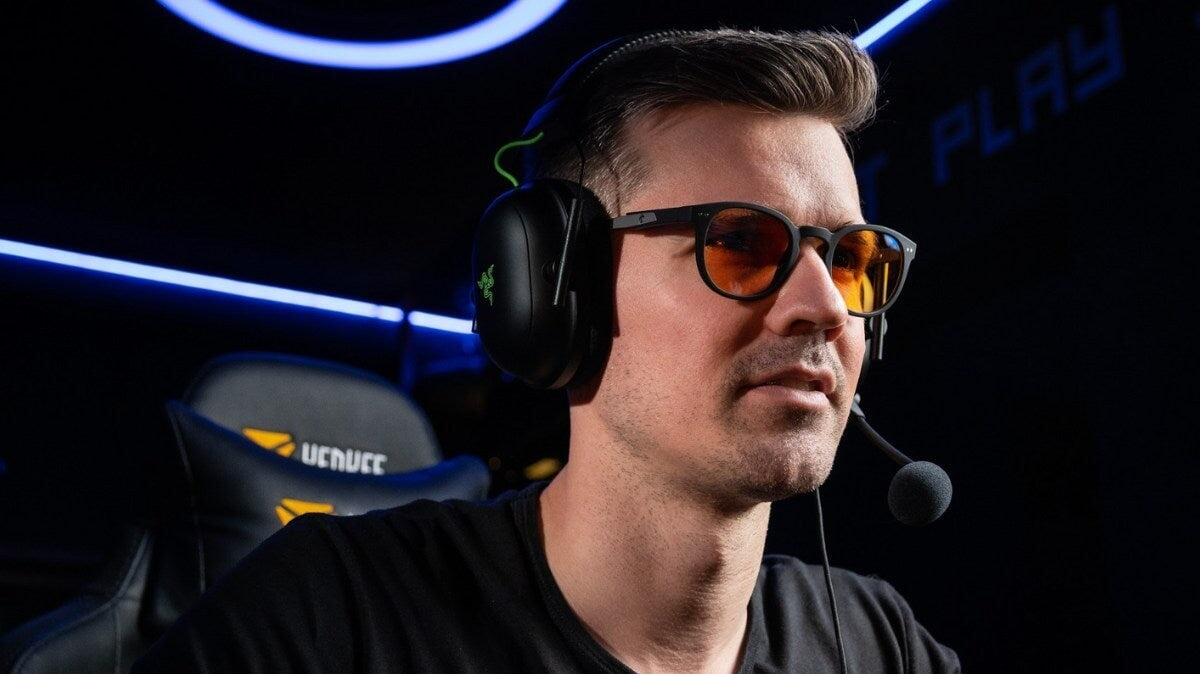
If you don't wear glasses, you might be telling yourself that you really don't see the connection. Well, know, Mr. Spider-Man with perfect eyesight, that yes, wearing glasses can tip the scales for a gaming headset choice. If the headset cushions aren't comfortable enough, press too hard on the temples, don't adapt well enough, or tend to fall off after a few hours, you can be sure that wearing glasses will be a nuisance. Pain after a few minutes, marks on your face, heavy pressure on your nose—nothing will be right.
That is why it is important to find a headset that is comfortable, not too heavy, or at least stays in place well when you have vision issues. Unless you wear contact lenses, obviously. But if you are planning to change glasses, you can kill two birds with one stone and go for a model of comfortable gaming glasses, designed for play, just like for your future prescription glasses if that concerns you.

Budget is important for choosing well
This is undoubtedly the criterion that will make you lean toward one headset or another, unless you found the magical suitcase in Paleto Bay. You will therefore have to choose the best headset within your allocated budget, but we allow ourselves one small piece of advice: don't hesitate to dedicate just a tiny bit more if a headset slightly exceeds your budget.
It's a bit more money to spend upfront, but there's a good chance this investment will benefit your overall comfort and potentially the lifespan of the headset.
FAQ: questions you might have about gaming headsets
What should I do when my headset hurts because of my glasses?
Even if you've chosen the most comfortable headset on the market, it's possible that the frames of your glasses aren't really designed for comfort. That's your choice if you've decided to play the part of Faras, the mad scientist from Akkala.
But at Horus X, we are here to help you regardless, so if your headset really presses too hard on the arms, we can only advise you to find the ideal position for the headset on your ears, even if it means placing it slightly at an angle. Don't worry about how it looks; chances are you're playing in front of your TV or screen without a camera, so nobody will see you. By adjusting the position, you can reduce the tension it applies to your glasses.
But the best thing to do will always be to take breaks. We know, many games mention it (especially at Nintendo), we keep hearing it repeated here and there, but it is an absolute truth: taking breaks when playing can only be beneficial, whether for your eyes or your comfort. By removing your headset every hour for example, for a few minutes, you will avoid pain.
If you wear gaming glasses without prescription, we advise you to take a look at our catalog to discover our frames designed for comfort.
How do I connect a gaming headset to a PC, Xbox, PlayStation, or Switch?
We already talked about this a little bit above, but it's always good to be reminded: nowadays, the operation of a gaming headset has been drastically simplified. On any machine, there will be a maximum of three solutions for plugging in the headset:
- On PC: wired directly to the jack port of your tower, via Bluetooth, or by plugging the wireless dongle into a USB port;
- On Xbox One / Series S|X: wired to the controller's jack port (except the original Xbox One) or via a wireless dongle on a USB port;
- On PlayStation 4 / 5: wired to the controller's jack port, via Bluetooth through the console's settings, or via a wireless dongle on a USB port;
- On Nintendo Switch: via the console's jack port or via a USB Type-C dongle in handheld mode; via the console's jack port with an extension, or via a USB dongle on the dock when playing in TV mode.
There are also headsets that plug in directly via a USB cable, but this technology is increasingly being set aside. The principle of running a long cable between the console and the headset is not really current anymore, except on Switch in dock mode if your headset is wired-only. And even then, it's really not practical; I've tried. It feels like being back on PS2 with a wired controller.
How long does a gaming headset last?
is a question that comes up often, and rightly so. You may have just spent €150 on a headset you've been dreaming of, but you're wondering how long it will last. Well, you should know that it will depend almost entirely on you. If the headset is high-end and made by a reputable brand, there is no reason for it to break down quickly: you can keep it for several years if you take care of it.

By "taking care of it," we mean: laying it flat or on a stand when not in use; not throwing it on the floor when you're bad at FIFA; dusting it off from time to time; not rolling over the cable if it's wired; not letting it discharge completely if it's battery-powered; updating it if it allows for it; and not twisting it in every direction. By following these guidelines, you will be able to keep it for quite a long time.
However, if you bought a €25 headset on Amazon, you have to assume that its manufacturing quality will inevitably be worse than that of a major brand headset. It will probably last for a while, but problems with plastic finishing or even premature wear of the circuit boards will likely appear quite quickly. So, bet on the right horse, take care of it, and your headset will last for a few years.